
Free Social Media Posting Tool Without Signup
Generate up to 4 social media posts, review and edit the results, schedule or publish your content, and experience the real PostDovo workflow before creating an account.
Most social media tools ask you to register before showing you whether the product is actually useful. PostDovo lets you start first.
Use your own website or Topic / Niche, connect the social platform you want to test, and see what the workflow produces.
Try PostDovo Without Signing Up
PostDovo prepares a temporary guest workspace so you can start creating immediately.
Start in a Free Guest Workspace
Open the free campaign experience and PostDovo prepares a temporary workspace automatically. You can begin without completing a registration process.
This is the actual campaign workflow, not a static product demonstration.
Connect the Social Platform You Want to Test
Connect a real social account so the content has an actual publishing destination.
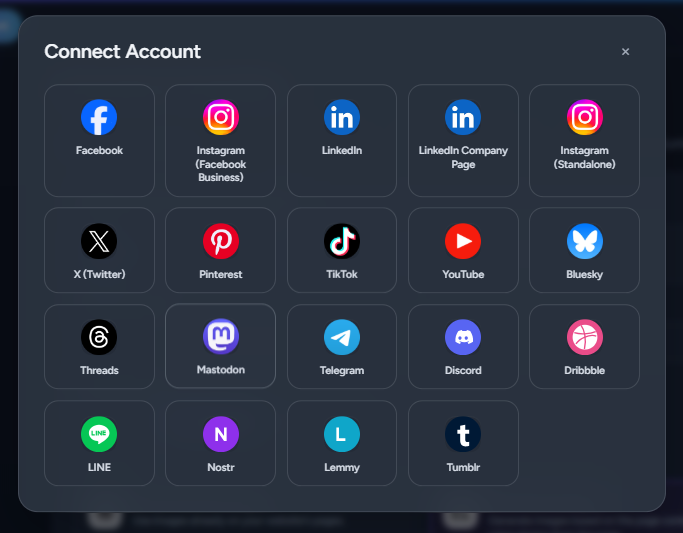
Choose the Account You Want to Publish To
Connect the social platform you want to test. That account then becomes part of the campaign and publishing workflow.
This lets you evaluate PostDovo as a social media posting tool rather than only as a text generator.
PostDovo lets you connect and publish to a wide range of social platforms. Choose the accounts that match where you want your generated posts to go.
- Instagram Business
- LinkedIn Company Page
- X (Twitter)
- TikTok
- YouTube
- Bluesky
- Threads
- Mastodon
- Telegram
- Discord
- Dribbble
- LINE
- Nostr
- Lemmy
- Tumblr
Choose What Your Free Social Media Posts Should Be About
Start from a Website URL or Topic / Niche, then choose Text Only or Text + Image.
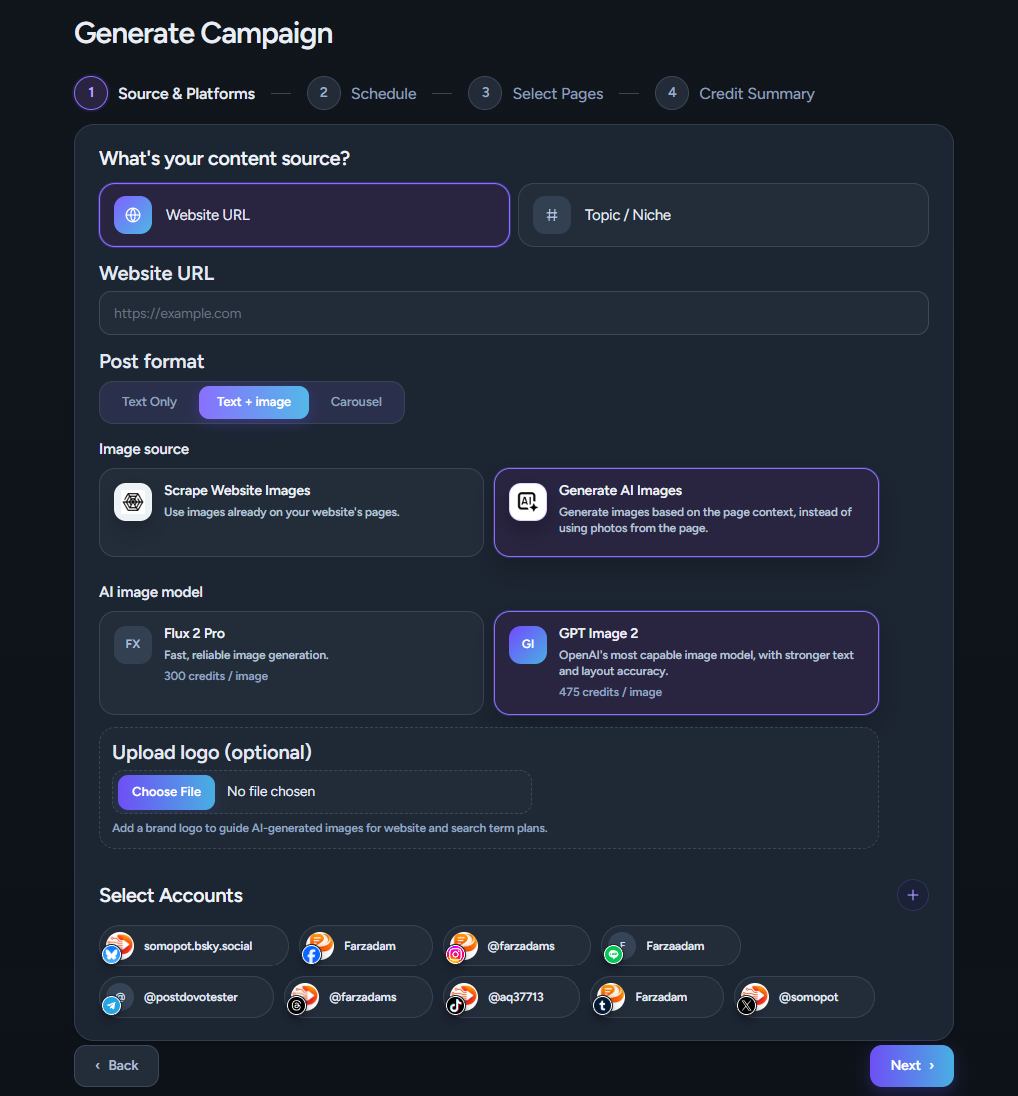
Generate Social Media Posts From a Website
Choose Website URL when you want to turn existing products, services, articles, landing pages, reviews or other website content into social posts.
Start From a Topic / Niche
A website is not required. Choose Topic / Niche when you want to build the campaign around an idea, subject, industry or audience interest.
Topic / Niche campaigns skip the Select Pages step.
Choose Your Free Post Format
Text Only
Generate Post Text when the written message is the main focus.
Text + Image
Generate Post Text together with a visual for the social post.
Carousel Is Restricted
The guest experience currently supports Text Only and Text + Image generation. Carousel creation requires access beyond the guest workflow.
Build Your Free Social Media Publishing Schedule
The guest campaign starts with four publishing days, matching the maximum of four free generated posts.
Start With 4 Publishing Days
Four days are selected by default. This gives the guest campaign up to four publishing slots.
Use Fewer Posts If You Want
Reduce the number of selected days when you want a smaller campaign. The guest schedule cannot be increased beyond the free limit.
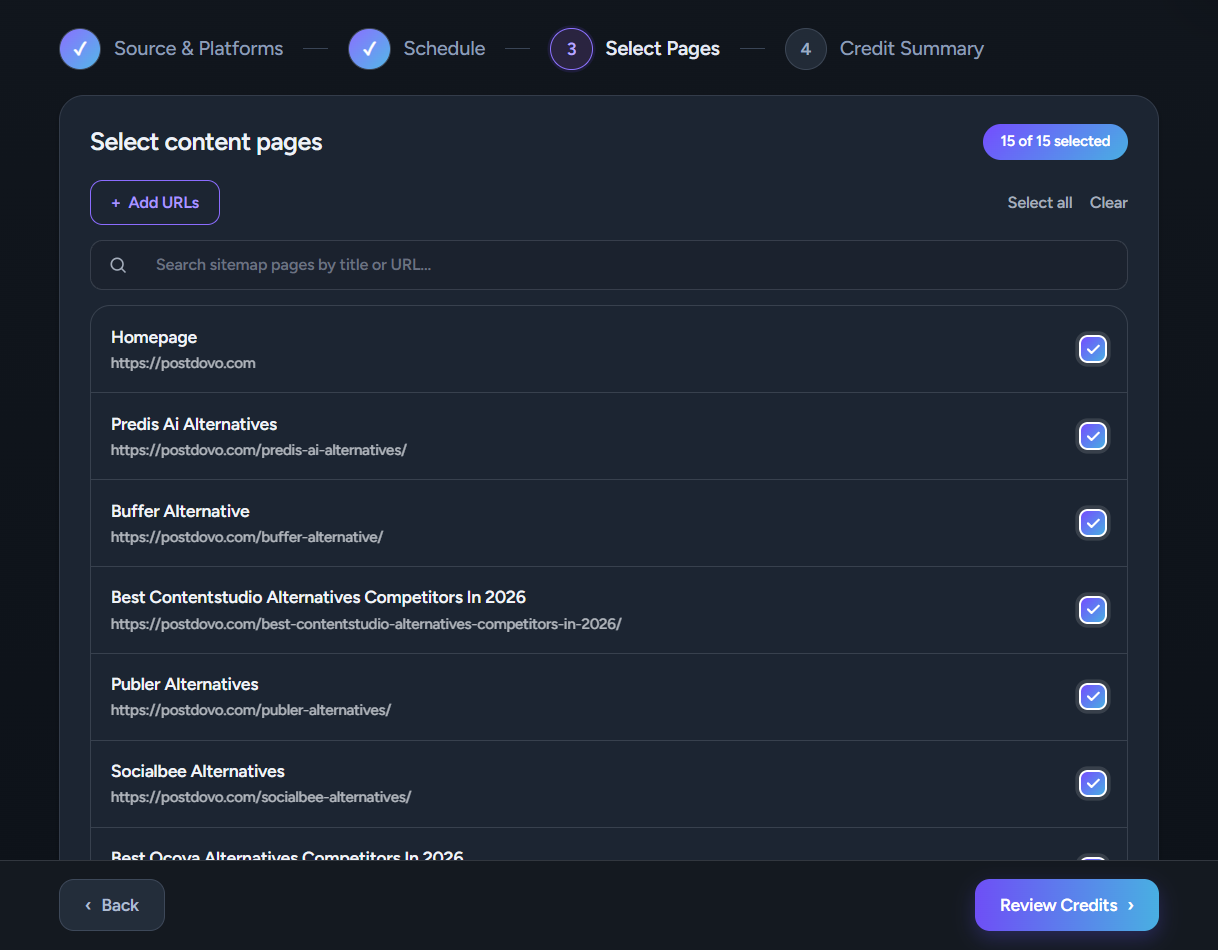
Select Up to 4 Website Pages
Website campaigns let you choose which pages should provide the campaign context.
Choose the Source Pages That Matter
You can select up to 5 website pages. These might include products, services, landing pages, articles or other pages you want the campaign to use.
This gives PostDovo focused source material instead of relying only on a generic prompt.
Review the Setup and Generate Your Free Posts
Check the campaign summary before generation begins.
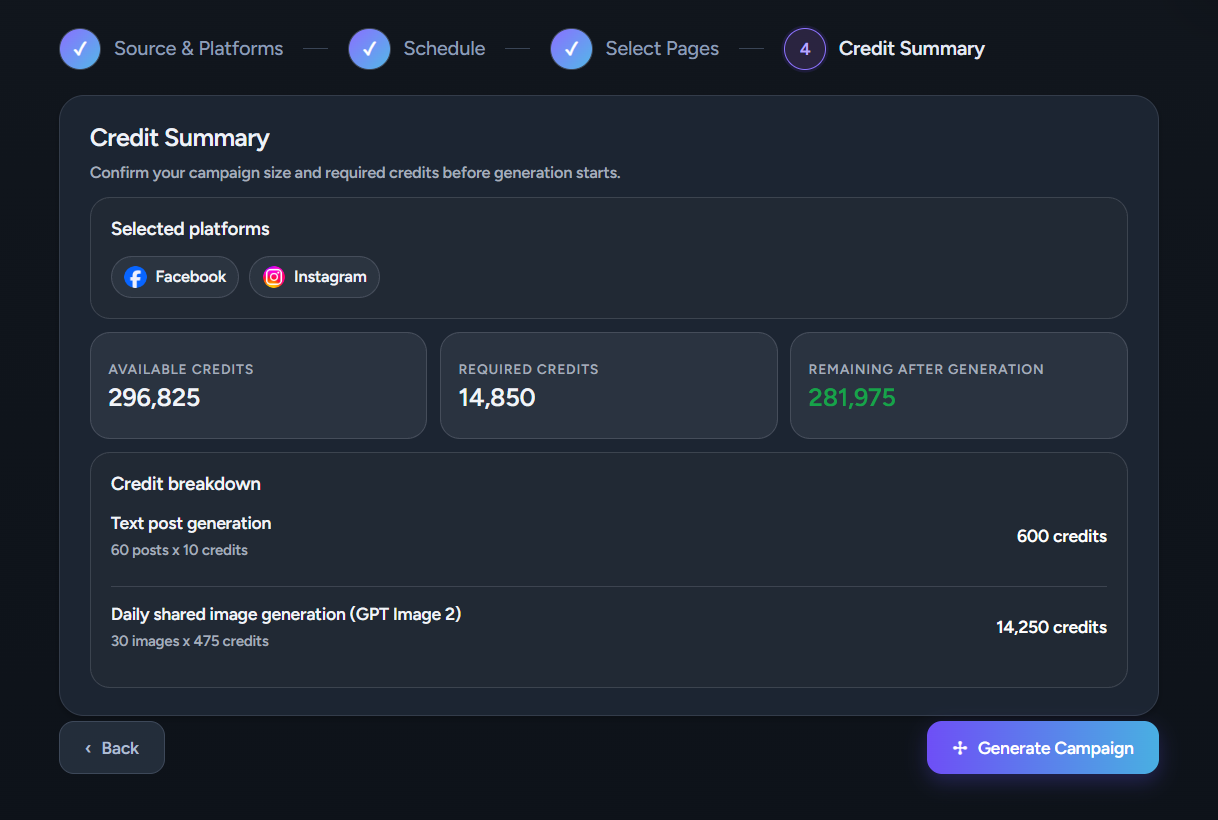
Review the Campaign Setup
Check the content source, selected account, post format, image choices, publishing schedule and website pages where applicable.
Continue to Generation
Once the setup looks right, PostDovo moves into the campaign generation process.
Review, Edit, and Publish the Generated Posts
Check the actual campaign output, make any final changes and move into publishing.
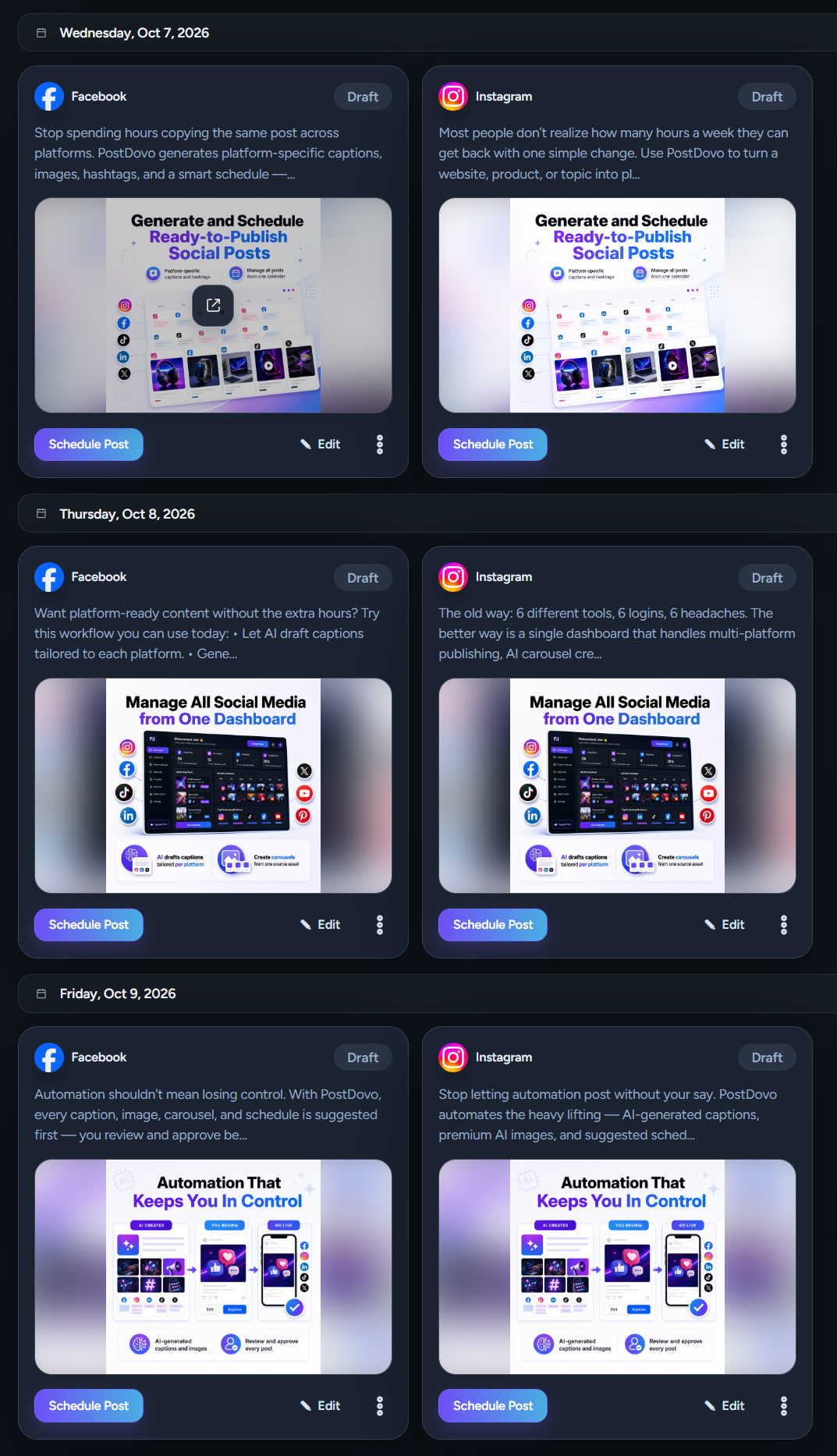
Review the Post Text
Check the messaging, content angle, wording and overall direction of each generated post.
Edit Before You Publish
Refine the wording, CTA or message wherever the post needs adjustment.
Review Text and Images Together
For Text + Image campaigns, review the visual together with the Post Text so you can judge the complete social post.
Publish to Your Connected Social Platform
When the post is ready, continue through the publishing workflow using the social account you connected earlier.
Explore the Publishing Calendar and Post Lists
The guest workspace also lets you explore how PostDovo organizes publishing activity.
Publishing Calendar
Open the Publishing Calendar to see content organized inside the scheduling workflow.
Draft Posts
View posts that are still being prepared.
Scheduled Posts
See content queued for future publishing.
Published Posts
Review posts that have already gone through publishing.
Campaign Library
Return to generated campaign content and continue reviewing posts.
These views let you evaluate PostDovo as a social media publishing and scheduling tool, not only as a content generator.
What Can You Use Free Without Signing Up?
The guest workspace includes the core campaign-generation and publishing experience with clearly defined limits.
| Feature | Guest Access |
|---|---|
| Temporary guest workspace | Yes |
| Connect a social account | Yes |
| Generate social media posts | Yes |
| Maximum generated posts | Up to 4 |
| Text Only posts | Yes |
| Text + Image posts | Yes |
| Website URL source | Yes |
| Topic / Niche source | Yes |
| Select website pages | Up to 4 |
| Review and edit generated posts | Yes |
| Publish generated posts | Yes |
| Publishing Calendar | Yes |
| Campaign Library | Yes |
| Draft Posts | Yes |
| Scheduled Posts | Yes |
| Published Posts | Yes |
| Carousel generation | Restricted |
| Single Post | Requires account |
| Analytics | Requires account |
Is PostDovo Really Free?
Yes. The guest experience lets you generate up to four Text or Text + Image posts, review and edit them, use the publishing workflow, and explore the main post-management areas before creating an account.
What Are the Free Limits?
- Up to 4 generated posts
- Text Only or Text + Image format
- Up to 4 selected website pages
- Carousel generation is restricted
- Single Post requires an account
- Analytics requires an account
Who Is This Free Social Media Posting Tool For?
The guest workflow is useful for anyone who wants to evaluate PostDovo with real content.
Small Businesses
Turn existing product, service or website pages into social content and test the result.
Creators
Start from a Topic / Niche and build a small social campaign around an idea.
Freelancers & Agencies
Test PostDovo with real source material before adding it to a client workflow.
Marketers
Evaluate generation, editing, scheduling and publishing in one workflow.
Free Post vs Single Post vs Generate Campaign
Choose the workflow according to what you already have and what you want PostDovo to do.
| Workflow | Best When | Main Purpose |
|---|---|---|
| Free Post | You want to try PostDovo before signup. | Test generation, editing, publishing and post management. |
| Single Post | You already have the content. | Manually create, customize, schedule and publish posts. |
| Generate Campaign | You want PostDovo to build the campaign. | Turn source material into a complete social media campaign. |
Free Post
Use the guest experience when you want to test PostDovo before creating an account.
Single Post
Use Single Post when you already have content and want to manually create, customize, schedule or publish it across selected social accounts.
Generate Campaign
Use Generate Campaign when you want PostDovo to turn websites, selected pages, products, articles or a Topic / Niche into a complete campaign.
Try PostDovo With Your Own Content
Connect a social platform, choose a website or Topic / Niche, generate up to four posts, review the results, and experience the publishing workflow before signing up.
Try the Free Social Media Posting ToolIs there a free social media posting tool without signup?
Yes. PostDovo provides a temporary guest workspace where you can generate, review, edit and publish social media content before creating an account.
How many free social media posts can I generate?
You can generate up to 4 posts in the signup-free guest experience.
What free post formats are available?
The guest workflow supports Text Only and Text + Image posts.
Can I generate social media posts from my website for free?
Yes. Choose Website URL as the source and use website content to guide the campaign.
How many website pages can I select?
You can select up to 4 website pages in the guest workflow.
Do I need a website?
No. Choose Topic / Niche instead. Topic / Niche campaigns skip the Select Pages step.
Can I edit the generated posts?
Yes. You can review and edit the generated posts before publishing.
Can I publish without signing up?
Yes. Generated posts can move through the guest publishing workflow using the social account you connected.
Can I schedule social media posts for free?
The guest campaign starts with up to four publishing days. You can reduce the schedule, and the guest workspace includes access to the Publishing Calendar and Scheduled Posts area.
Can I view Draft, Scheduled and Published posts without signup?
Yes. These post-management areas are available in the guest workspace.
Can I create Carousel posts for free?
Carousel generation is restricted. Free generation currently supports Text Only and Text + Image posts.
What features require an account?
Single Post and Analytics require a PostDovo account.
What happens after I generate my free posts?
Review and edit the content, schedule or publish it, explore the wider PostDovo workflow, and create an account if you want to continue.